Reminders
Reminders help you notice upcoming renewals before a subscription charges again. Subscription Manager sends them from its server, so you do not need to keep the web app open.Before you start
Renewal reminders use Bark, a free and open-source iOS push app. You only need:- A signed-in Subscription Manager account.
- Bark installed on an iPhone or iPad.
- The push URL shown in Bark.
- The number of days before renewal when you want to be reminded.
Get your Bark URL
- Download and open Bark on your iOS device.
- Tap Server at the bottom of Bark.
- Copy any example push URL from the Server page, such as
https://api.day.app/your-device-key/example. - Keep the complete URL. Subscription Manager extracts the server URL and device key automatically.
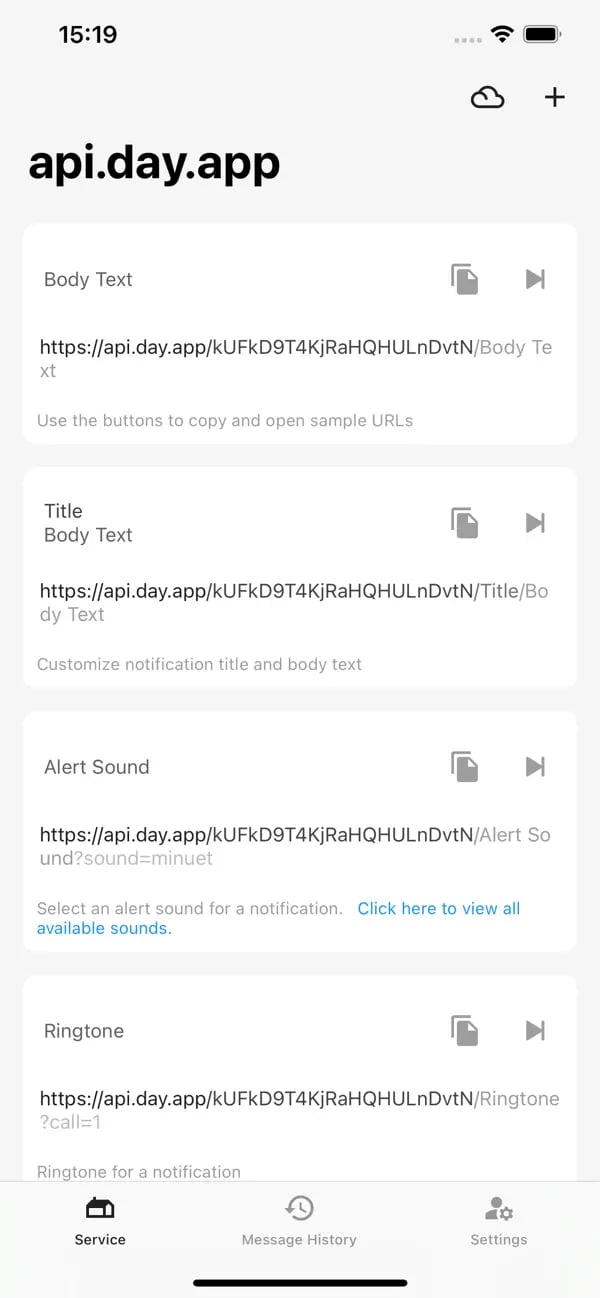
This image comes from Bark’s App Store page. Copy the URL shown on your own device; do not reuse the example URL in the image.
Configure Subscription Manager
- Sign in to Subscription Manager.
- Open Settings > Notifications.
- Enable Bark push notifications.
- Paste the complete Bark URL into the Bark URL field.
- Check that the field is marked valid and review the detected server and device key.
- Choose how many days before renewal to send the reminder.
- Select Test Push and confirm that the message arrives on your iOS device.
- Select Save Settings.
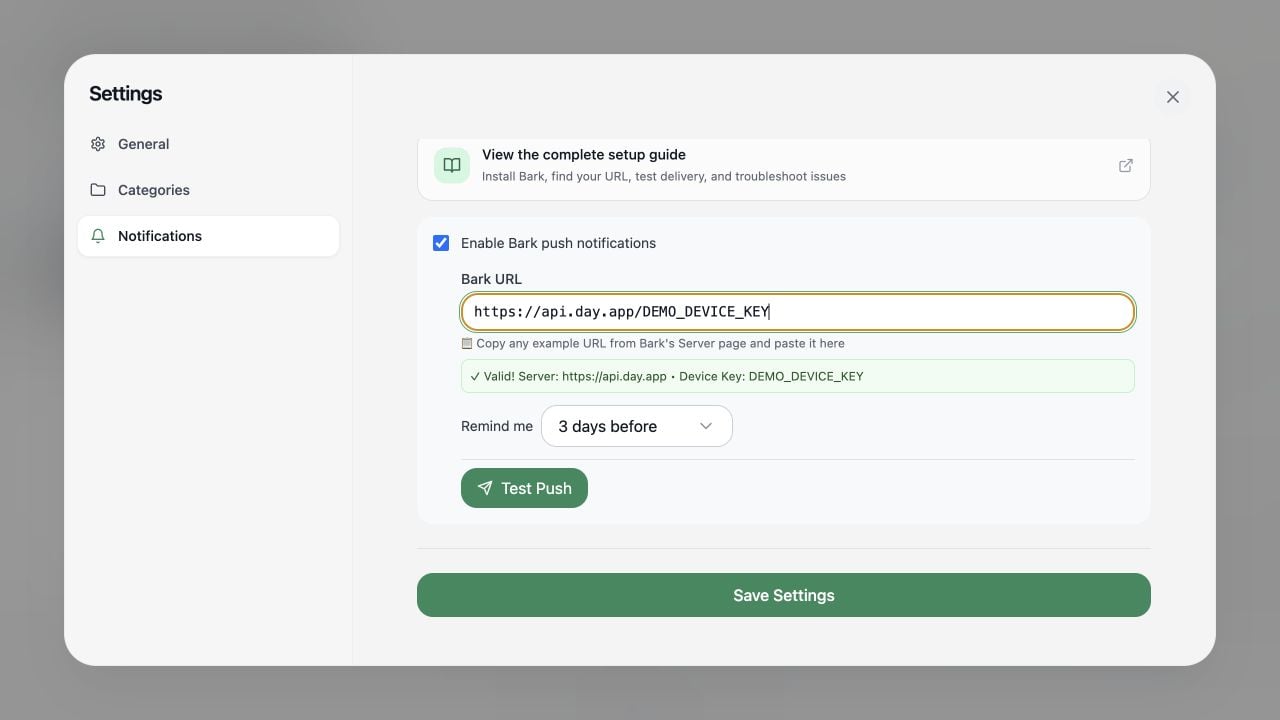
DEMO_DEVICE_KEY in the image is a redacted example. Paste the complete URL copied from Bark on your own device.Per-subscription toggles
After enabling Bark globally, you can still turn reminders on or off for each subscription when adding or editing it. Disabling one subscription does not affect the others.Test and troubleshoot
If reminders do not arrive:- Confirm that the Bark URL is marked valid.
- Confirm that iOS notifications are allowed for Bark, then try an example push from Bark.
- Confirm that you are signed in and saved the notification settings.
- Confirm that notifications are enabled for the subscription.
- Confirm that the next payment date is valid and in the future.
- If you use a self-hosted Bark server, confirm that its URL is publicly reachable.
- Run Test Push again to distinguish a device configuration issue from a scheduled-job issue.